
What happens if your email is on the dark web
If your email is on the dark web, it may be linked to data breaches. You will learn steps to secure your accounts and mitigate risks.
Written: · 17 min
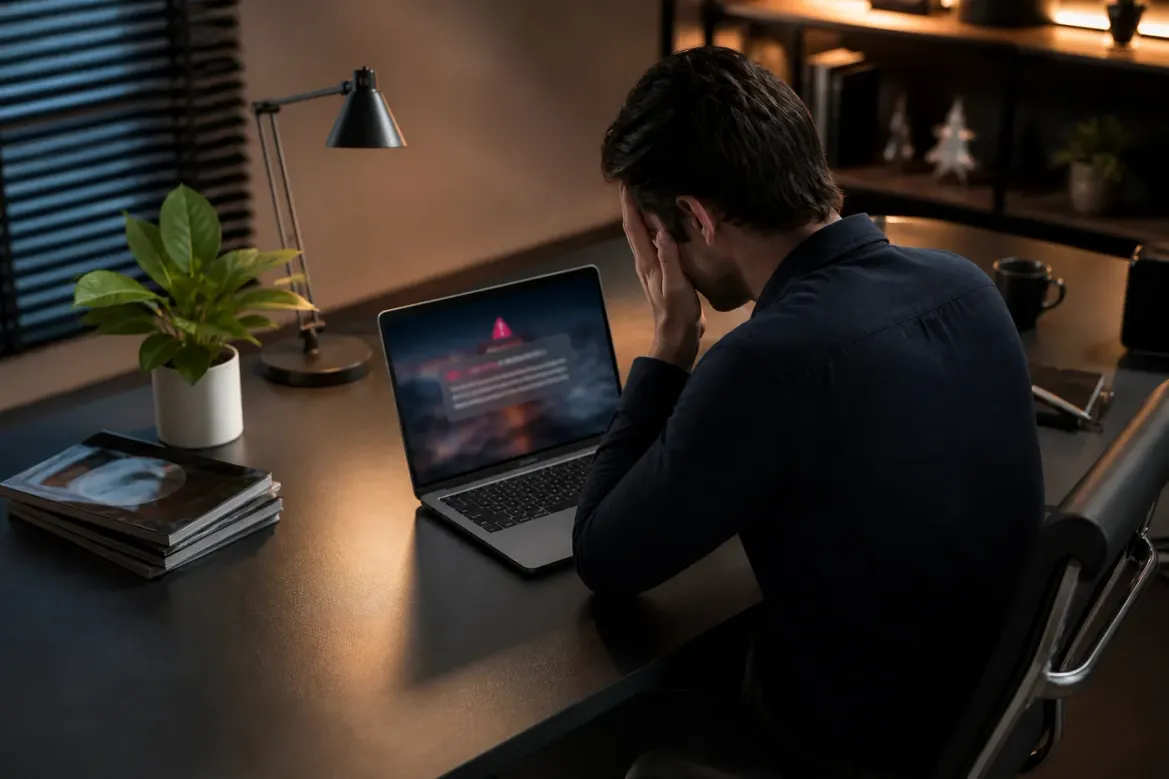
Your email on the dark web means it appeared in a known data breach tracked by Have I Been Pwned, which monitors 1,004 breaches and over 17.6 billion accounts. Data cannot be fully removed once posted due to the decentralized nature of dark web forums and copies.
Immediate steps:
Change the password on the primary email account first.
Enable app-based multi-factor authentication on all accounts.
Check for unauthorized activity and avoid password reuse.
What Does It Mean If Your Email Is on the Dark Web?
If your email is found on the dark web, it indicates that your address was exposed in a data breach. This breach often involves unauthorized access to a website's data, which is then sold or shared on dark web markets. The service Have I Been Pwned tracks these breaches and allows users to verify if their email has been compromised. As of now, it monitors 1,004 breaches and over 17.6 billion accounts (1).
Common ways emails end up on the dark web include:
Data Breaches: When hackers illegally access a company's database, they can extract user information, including email addresses. For example, the 2021 T-Mobile incident compromised the personal data of over 40 million customers, including their email addresses.
Malware: Malicious software can capture sensitive information from infected devices. This data can then be sold on dark web forums.
Insider Leaks: Sometimes, employees may leak information intentionally or unintentionally, contributing to data exposure.
The risks associated with having your email on the dark web are significant. Reports indicate that email remains the most common contact method for fraud, with phishing being a primary threat (2). In 2024, the Federal Trade Commission received over 6.47 million fraud reports, with identity theft accounting for 1.1 million of those cases (2).
Once your email address appears on the dark web, it cannot be completely removed due to the decentralized nature of these platforms (3). This makes it crucial to take immediate action if you discover your email has been compromised.
What Are the Real Risks and What Can Happen Next?
Having your email on the dark web exposes you to several significant security risks. These include credential stuffing, account takeover, phishing campaigns, and identity theft.
Credential Stuffing
Credential stuffing occurs when attackers use leaked email and password combinations to access multiple accounts. A report indicated that over 80% of hacking-related breaches involve stolen credentials (4). If your email and password are found together, you face a high risk of unauthorized access to your accounts.
Account Takeover
Account takeover is a direct consequence of credential stuffing. Hackers can gain control of your email account, allowing them to reset passwords on other services. This risk is heightened if you reuse passwords across different platforms. In 2024, the Federal Trade Commission noted that email was the most common contact method for fraud reports, highlighting the importance of securing your email (2).
Phishing Campaigns
Phishing campaigns often target individuals whose emails have appeared in data breaches. Attackers impersonate trusted entities to trick you into providing sensitive information. In 2024, phishing remained a primary risk, contributing to significant financial losses (2). Successful phishing campaigns can lead to identity theft, where personal information is used fraudulently.
Identity Theft
Identity theft can occur when attackers combine data from multiple breaches to create a detailed profile of a victim. In 2024, 1.1 million identity theft reports were filed in the U.S., with losses exceeding $12.5 billion (2). If your email is compromised, you may become a target for such schemes.
Sale of Combined Data
Once your email is on the dark web, it may be sold alongside other personal information, such as passwords and security questions. For instance, the National Public Data breach in April 2024 exposed data from 134 million unique email addresses along with various personal details (5). This type of data can be exploited for further attacks.
To mitigate these risks, take immediate steps if your email appears on the dark web. Change your passwords, enable multi-factor authentication, and monitor your accounts for unauthorized activity (6).
How to Check If Your Email Has Been Compromised
To determine if your email has been compromised, follow these steps using various online tools.
Using Have I Been Pwned
Visit the Have I Been Pwned website.
Enter your email address in the search bar.
Click "pwned?" to check for breaches.
Review the results, which will show if your email is associated with any known data breaches.
As of now, Have I Been Pwned tracks 1,004 breaches and over 17.6 billion accounts (1). If your email appears, it indicates exposure to a data breach, meaning it may have been sold or shared on the dark web (1).
Using Google Password Checkup
Install the Google Password Checkup extension in your browser.
Log into your Google account.
Enable the extension to automatically check saved passwords against known breaches.
Follow any prompts to change compromised passwords.
This tool helps identify if your Google account credentials are at risk.
Using Dark Web Monitoring Tools
Consider using dark web monitoring services from security providers like McAfee or Norton.
Sign up for their dark web monitoring service.
Enter your email address for regular scans.
Receive alerts if your email appears in any dark web listings.
These tools provide ongoing monitoring and alert you to potential breaches.
Recommended Frequency of Checks
Check your email regularly, ideally every few months or after significant data breaches. If you receive a breach notification, check immediately. Frequent checks help you stay informed and mitigate risks associated with identity theft and phishing attacks.
Taking these steps can help you understand the exposure of your email and take necessary precautions against potential threats.
Immediate Actions You Must Take If Your Email Is Found
If your email is found on the dark web, you must act quickly to protect your accounts and personal information. Follow this prioritized checklist:
Change Your Password Immediately
Start by changing the password for your primary email account. Ensure the new password is strong and unique. Avoid reusing passwords from other accounts. Utilize a password manager to help generate and store complex passwords securely (7).Enable Two-Factor Authentication (2FA)
Activate 2FA on your email account and any other accounts that support it. Prefer app-based or hardware token authentication over SMS-based methods. This adds an extra layer of security, making it harder for attackers to gain access (6).Revoke Active Sessions
Check your email provider for any active sessions and revoke them. For Gmail, go to the "Security" section in your Google Account settings. Look for "Your devices" and sign out of any unfamiliar devices. This action helps prevent unauthorized access (6).Check for Suspicious Activity
Review your email account for any unauthorized changes or unfamiliar activity, such as sent messages or login attempts. If you notice anything suspicious, report it to your email provider immediately.
Specific Advice for Gmail Users
For Gmail users, follow these additional steps:
Use the "Security Checkup" tool provided by Google. This tool will guide you through reviewing your account's security settings.
Check your "Recent Security Events" to identify any unusual activity.
Update your recovery options to ensure you can regain access if needed.
General Recommendations for Other Email Providers
For other email services, look for similar security features. Most providers offer options for password recovery, security alerts, and account activity monitoring. Familiarize yourself with these settings to enhance your account's security.
Taking these immediate actions can significantly reduce the risks associated with your email being on the dark web, such as identity theft and account takeover (4). Regularly monitoring your accounts and staying informed about security practices is essential for ongoing protection.
How to Secure Your Email Account and Reduce Future Exposure
To minimize risks associated with your email being on the dark web, implement these practical steps:
Use Unique Strong Passwords
Create unique passwords for each of your online accounts. A strong password should include at least 12 characters, combining uppercase and lowercase letters, numbers, and special symbols. Consider using a password manager to generate and store these passwords securely. This approach prevents credential stuffing attacks, where hackers use leaked passwords to access multiple accounts (4).Avoid Reusing Credentials
Never reuse passwords across different services. If one account is compromised, others may be at risk. According to a study, over 80% of hacking-related breaches involve stolen credentials (4). Changing your password immediately if it appears in a breach is crucial (6).Limit Personal Information Shared Online
Be cautious about sharing personal details on social media and other platforms. Fraudsters often gather information from multiple sources to build detailed profiles. For instance, avoid posting your phone number, address, or birth date publicly. This information can be used for identity theft or phishing attacks (2).Use Alias Emails for Sign-Ups
Consider creating alias email addresses for online registrations. This strategy helps protect your primary email from exposure. Some email providers offer features that allow you to create variations of your email address. For example, if your email is [email protected], you could use [email protected] for retail sites. This way, you can easily filter or block unwanted messages from specific sources.
Risk-Reduction Checklist
Change passwords immediately if your email appears in a breach.
Use a password manager to create and store strong, unique passwords.
Enable multi-factor authentication (MFA) on all accounts.
Regularly monitor your accounts for unauthorized activity.
Limit the amount of personal information shared online.
Create alias emails for online sign-ups to reduce exposure.
Taking these steps can significantly enhance your email security and reduce the likelihood of future exposure on the dark web. Regularly reviewing and updating your security practices is essential in today’s digital environment.
Can You Remove Your Email from the Dark Web?
Complete removal of an email from the dark web is usually impossible. Once data is leaked through a data breach, it can be copied and shared across multiple platforms. The decentralized nature of dark web forums and marketplaces means no single authority can delete every instance of the data (3).
Takedown services claim to remove personal information from the dark web, but their effectiveness varies. They may succeed in removing listings from specific sites, but they cannot guarantee complete removal. For instance, if your email is part of a larger dataset, it may still circulate on other platforms even after a takedown request (3).
When engaging with these services, set realistic expectations. Some may provide ongoing monitoring or alerts when your email appears again, but they cannot erase initial breaches or prevent future listings. Many breaches are unverified or involve information that can be freely shared, complicating removal efforts (3).
Legal gray areas exist in this context. While some takedown services operate within legal boundaries, others may engage in questionable practices. This includes requesting removal from sites that do not comply or using aggressive tactics that could lead to legal repercussions for the service or the individual involved.
In summary, if your email is found on the dark web, focus on mitigating risks rather than expecting complete removal. Change your passwords, enable two-factor authentication, and monitor your accounts for suspicious activity (6). Understanding the limitations of takedown services can help you navigate the situation more effectively.
Dark Web Monitoring Tools and Services Compared
Monitoring your email for exposure on the dark web can be done using various tools. These tools range from free services like Have I Been Pwned to paid options such as Bitdefender or Aura. Below is an overview of some popular tools, including their features, coverage, alert speed, and remediation guidance.
| Service | Type | Coverage | Alert Speed | Remediation Guidance |
|---|---|---|---|---|
| Have I Been Pwned | Free | Tracks 1,004 breaches; 17.6 billion accounts (1) | Immediate alerts | Password change recommendations (1) |
| Bitdefender | Paid | Comprehensive dark web scanning | Daily checks | Identity theft protection |
| Experian | Paid | Monitors multiple data sources | Real-time alerts | Credit monitoring |
| Aura | Paid | Scans dark web markets | Immediate alerts | Identity theft recovery |
Have I Been Pwned (HIBP) is a notable free service that allows users to check if their email has appeared in data breaches. It logs 1,004 breaches, providing a reliable source for users concerned about their data being sold on the dark web (1). However, HIBP does not actively scan dark web markets; it focuses on known breaches.
In contrast, services like Bitdefender and Aura offer paid monitoring that includes scanning dark web marketplaces. These services provide alerts if your email appears in any listings, allowing for immediate action. They also offer guidance on remediation steps, which is crucial for users who may not be familiar with the risks associated with dark web exposure.
When choosing a monitoring tool, consider the coverage it offers and how quickly it alerts you to potential breaches. The speed of alerts can significantly impact your response time to mitigate risks such as phishing attacks or identity theft (2).
Common Mistakes That Make the Situation Worse
When an email appears on the dark web, certain common mistakes can exacerbate the situation. Addressing these errors promptly can significantly reduce risks associated with data breaches.
Ignoring Alerts
Failing to act on breach notifications is a prevalent mistake. Many individuals receive alerts but disregard them, thinking they are not at risk. However, according to data from the Federal Trade Commission, identity theft reports reached 1.1 million in 2024, with email being the most common contact method for fraud (2). Ignoring alerts can lead to significant financial losses, as breaches often involve personal information.
Using the Same Password Elsewhere
Reusing passwords across multiple accounts is another critical error. If one account is compromised, attackers can use the same password to access other accounts through credential stuffing attacks. Over 80% of hacking-related breaches involve stolen credentials (4). When your email is found in a breach, change that password immediately and avoid reusing it elsewhere (6).
Clicking Links in Breach Notifications
Clicking links in breach notifications can lead to phishing attempts. Attackers often craft messages that appear legitimate, aiming to steal further personal information. It is safer to navigate directly to the website of the service in question rather than clicking on provided links. This approach minimizes the risk of falling victim to phishing scams.
Delaying MFA Setup
Not enabling multi-factor authentication (MFA) is a significant oversight. MFA adds an extra layer of security, making it harder for attackers to gain access even if they have your password. The National Institute of Standards and Technology recommends using MFA wherever possible (6). Failing to set up MFA allows cybercriminals to take over accounts more easily.
Summary of Corrections
To mitigate the risks associated with your email being on the dark web:
Act on Breach Notifications: Respond immediately to alerts about your email.
Use Unique Passwords: Create different passwords for each account.
Avoid Clicking Links: Navigate directly to websites instead of following links in notifications.
Enable MFA: Set up multi-factor authentication on your accounts.
Implementing these corrections can significantly enhance your security and reduce the likelihood of identity theft and account takeover.
Creating a Long-Term Email Security Routine
Establishing a routine for email security is critical for ongoing protection. Regularly monitoring your accounts, maintaining password hygiene, and having a response plan for breaches can significantly reduce risks associated with your email appearing on the dark web.
Monthly Routine
Check for Breaches
Use Have I Been Pwned to verify if your email has appeared in any data breaches. This service tracks over 1,004 breaches and 17.6 billion pwned accounts (1). Check monthly to stay informed.Update Passwords
Change passwords for any accounts linked to the breached email. Ensure these passwords are unique and strong, with at least 12 characters, including numbers and symbols. Using a password manager can help manage this process effectively (7).Enable Multi-Factor Authentication (MFA)
Review your accounts to ensure MFA is enabled. Prefer app-based or hardware keys over SMS for added security. MFA can significantly reduce the chances of account takeover (6).
Quarterly Routine
Review Account Activity
Monitor your email and other accounts for unauthorized activity. Look for unfamiliar logins or changes to account settings. If suspicious activity is detected, take immediate action.Limit Personal Information Sharing
Assess what personal details you share online. Reduce this information on social media and other platforms to minimize the risk of identity theft and phishing attempts (2).Create Alias Emails
For future online registrations, consider using alias emails. This approach helps protect your primary email from exposure and makes it easier to manage unwanted communications.
Printable Checklist
Check Have I Been Pwned for breaches.
Change passwords for affected accounts.
Enable MFA on all accounts.
Review account activity for unauthorized access.
Limit personal information shared online.
Create alias emails for new registrations.
Following this routine will help maintain your email security and reduce the likelihood of future breaches. Regularly updating your practices ensures you remain vigilant against evolving threats in the digital landscape.
Dark Web Email Incident Response Checklist
| Action | Urgency | Scenario | Notes |
|---|---|---|---|
| Change email password | Immediate | Full identity exposure | Use a strong, unique password. |
| Enable multi-factor authentication | Immediate | Full identity exposure | Prefer app-based or hardware keys. |
| Check for unauthorized activity | Immediate | Full identity exposure | Look for unfamiliar logins. |
| Monitor email for breaches | Monthly | Password-only exposure | Use Have I Been Pwned. |
| Limit personal information shared | Ongoing | Both scenarios | Reduce online presence. |
| Create alias emails | Ongoing | Both scenarios | Protect primary email from exposure. |
Common questions
- What does it mean if an email was found on the dark web?
It means the email appeared in a data breach that hackers later released or sold. Have I Been Pwned defines this as an incident where site data is illegally accessed and then made public. (1) The National Public Data breach in April 2024 exposed 134 million unique email addresses. (5)
- Why does McAfee say my information is on the dark web?
McAfee scans known breach datasets that also appear on dark web forums. These scans often match entries from the 1,004 tracked breaches on Have I Been Pwned. (1) The June 2026 stealer logs breach added 56 million unique email addresses to such datasets. (8)
- How did my information end up on the dark web?
It usually reaches the dark web after a company suffers a breach and attackers publish the data. The decentralized nature of forums prevents full removal once posted. (3) In the June 2026 stealer logs breach 124 million unique passwords accompanied the emails. (8)
- Should I be worried if my email is on the dark web
Yes if the listing includes passwords or other details. Primary risks are targeted phishing and credential stuffing that can lead to account takeover. (4) The FTC received 1.1 million identity theft reports in 2024 with 25 percent higher fraud losses. (2)
- What to do if your email is on the dark web
Change the password on your primary email account first. Enable app-based multi-factor authentication and check login history for unfamiliar activity. (6) Canadian Centre for Cyber Security guidance states never reuse old passwords after such exposure. (6)
- How do I know if my information has been leaked?
Enter your email on Have I Been Pwned to see matches against 17.6 billion pwned accounts. (1) NIST SP 800-63B supports using such blocklists to verify compromised credentials. (7) The service also flags breaches like the unverified National Public Data incident. (5)
- Should I be worried if my information is on the dark web
Worry rises when the data set contains dates of birth or government IDs. Phishing caused most fraud reports to the FTC in 2024 where email was the top contact method. (2) NIST SP 1800-29 from February 2024 outlines monitoring steps after such leaks. (9)
Key Takeaways
Your email on the dark web signals that it likely appeared in a known breach. Act first by changing the password on your primary email account. Enable app-based multi-factor authentication immediately after. Check login history for signs of unauthorized access. These steps reduce risks of credential stuffing and phishing.
Change the affected email password right away and never reuse it.
Turn on multi-factor authentication on all linked accounts.
Review recent activity in those accounts for unfamiliar logins.
Use Have I Been Pwned monthly to track new exposures.
Limit personal details shared online to lower future risks.
Next, follow the structured response plan outlined in the Dark Web Email Incident Response Checklist. For deeper context on related threats, see The Real Dark Web: Separating Myth from Reality.
Footnotes
[1] Have I Been Pwned: Who's Been Pwned
[2] New FTC Data Show a Big Jump in Reported Losses to Fraud to $12.5 Billion in 2024
[3] Can You Remove Your Info From the Dark Web? What to Do
[4] What to Do If (or When) Your Email Is Leaked to the Dark Web
[5] Have I Been Pwned: National Public Data Breach
[6] Security guidance for dark web leaks (ITSAP.00.115)
[7] Have I Been Pwned: NIST 800-63B Compliant Password Checking
[8] Have I Been Pwned: June 2026 Stealer Logs Data Breach
[9] SP 1800-29, Data Confidentiality: Detect, Respond to, and Recover from Data Breaches